

AEShot Sync
Backups you can see before they happen.
AEShot Sync copies your folders to another drive, shows you every change before anything is written, and never deletes a file behind your back.
Choose the package for your Linux
- Debian, Ubuntu (.deb)Download
SHA-256
1bc85d83a07c9cc89a3e5d8b1324ee49c9ca0032a739e2c3b7820945ae67dec1How to checkInstall it with:
sudo apt install ./aeshot-sync_1.1.2-1_amd64.deb - Fedora (.rpm)Download
SHA-256
aa6262b3cb26254bfcda2efdd82df33daa3deb172cc3c171de3e86b2a5b3faa6How to checkInstall it with:
sudo dnf install ./aeshot-sync-1.1.2-1.x86_64.rpm - openSUSE (.rpm)Download
SHA-256
bbcbdd1e37b1a8ac17848f1e97de24a4ceed4b1b5aadd5d1eddf93539d146730How to checkInstall it with:
sudo zypper install ./aeshot-sync-1.1.2-1.opensuse.x86_64.rpm - Arch Linux (.pkg.tar.zst)Download
SHA-256
156d3938056b2c491491c9c36c14a5b865ed2ff09f393c091d98e180b3a8981aHow to checkInstall it with:
sudo pacman -U aeshot-sync-1.1.2-1-x86_64.pkg.tar.zst
By downloading an app, you accept the terms of use.
Free · No account · No ads
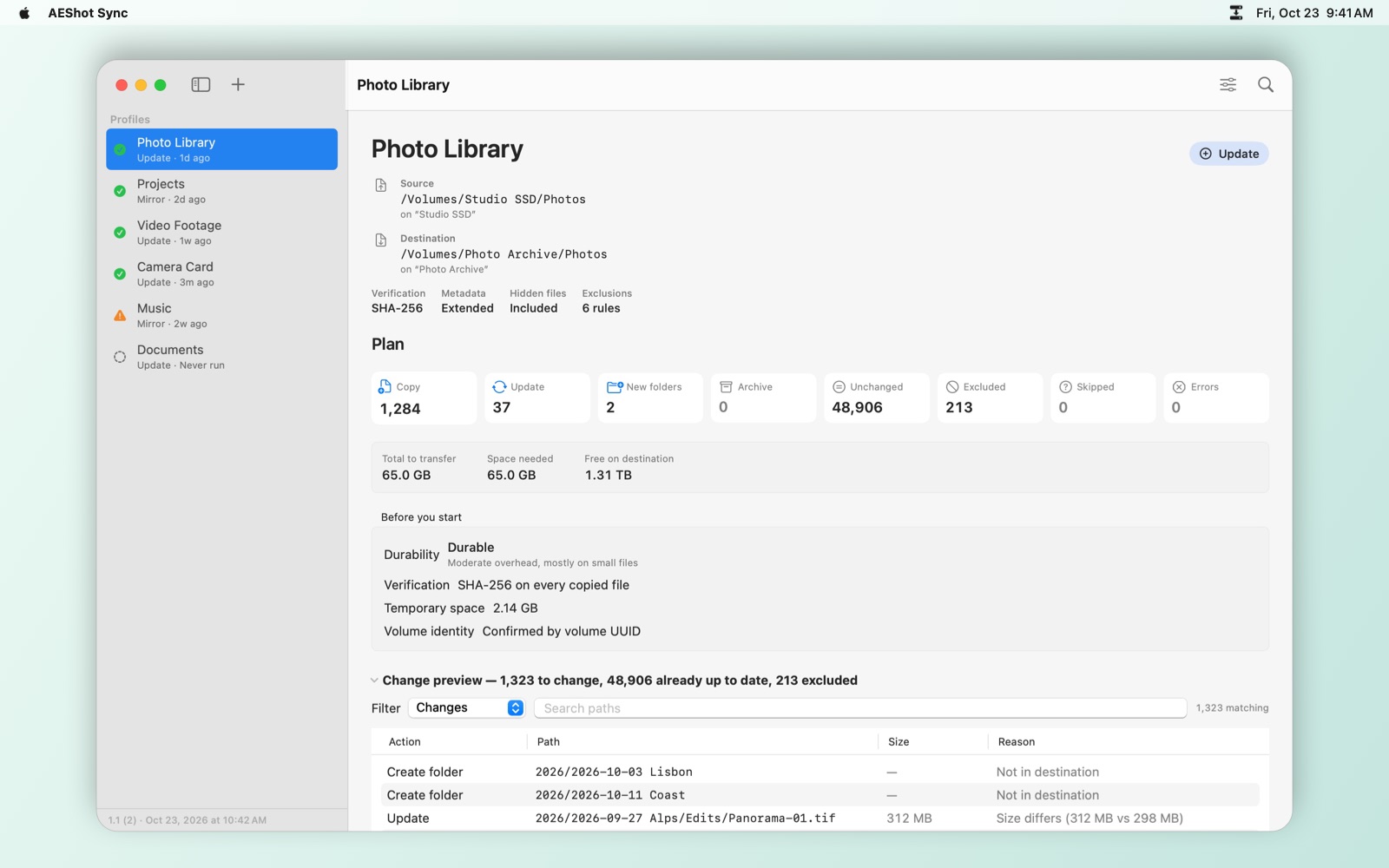
See it first.
Every sync starts with a read-only analysis: what will be copied, updated or moved aside, file by file. Nothing is written until you say so.
Nothing deleted.
Files that no longer belong are moved to a dated archive on the destination, never erased. You confirm the list, and you can look inside the archive anytime.
Never half-copied.
Each file is written under a temporary name and swapped into place in one step. A crash, a cancel or a loose cable leaves your existing files intact.
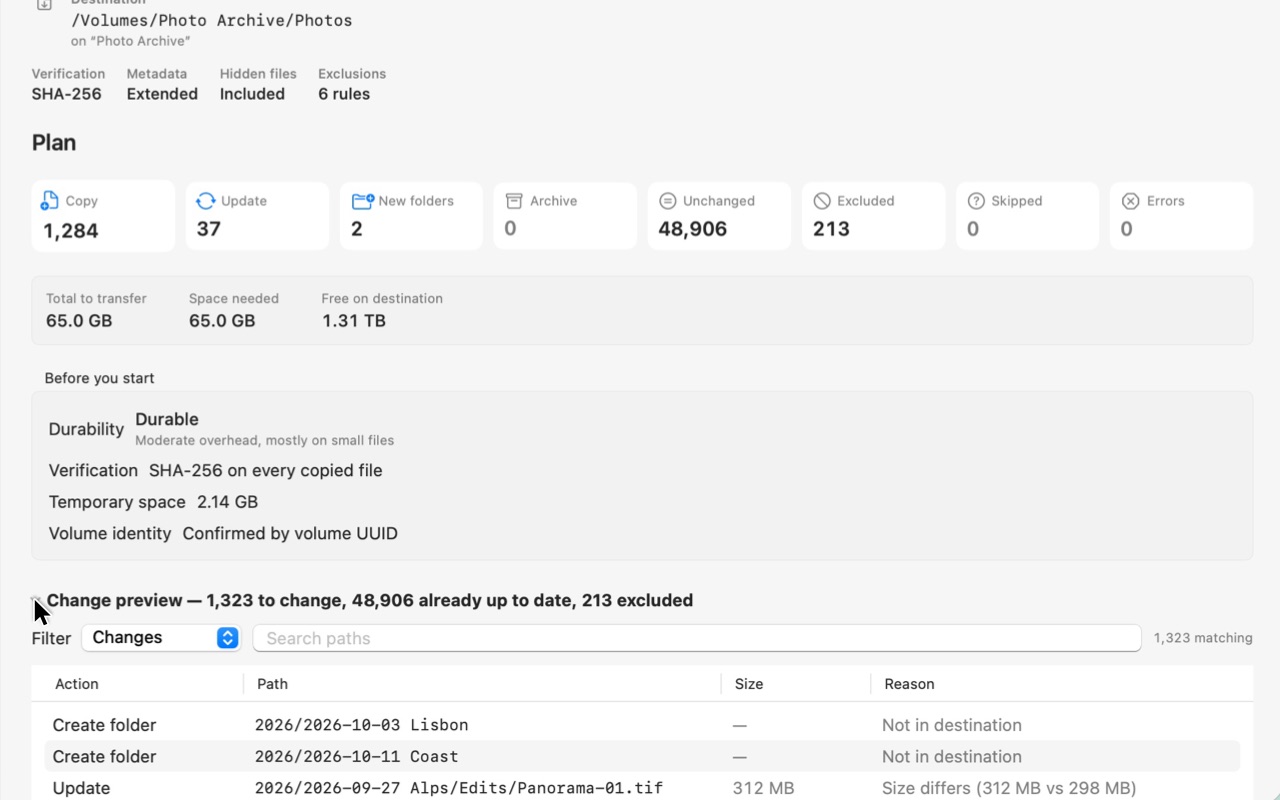
Every change, before it happens
The analysis lists each file that will be copied, updated or moved aside, with the reason. Nothing is written until you choose Synchronize.
Two modes, one rule
Update
Adds new and changed files and never removes anything. Made for photo and project archives that only grow.
Mirror
Makes the destination an exact copy of the source. Whatever it would remove goes to the archive first.
The rule: you always see the plan, and you always confirm before anything is moved aside.
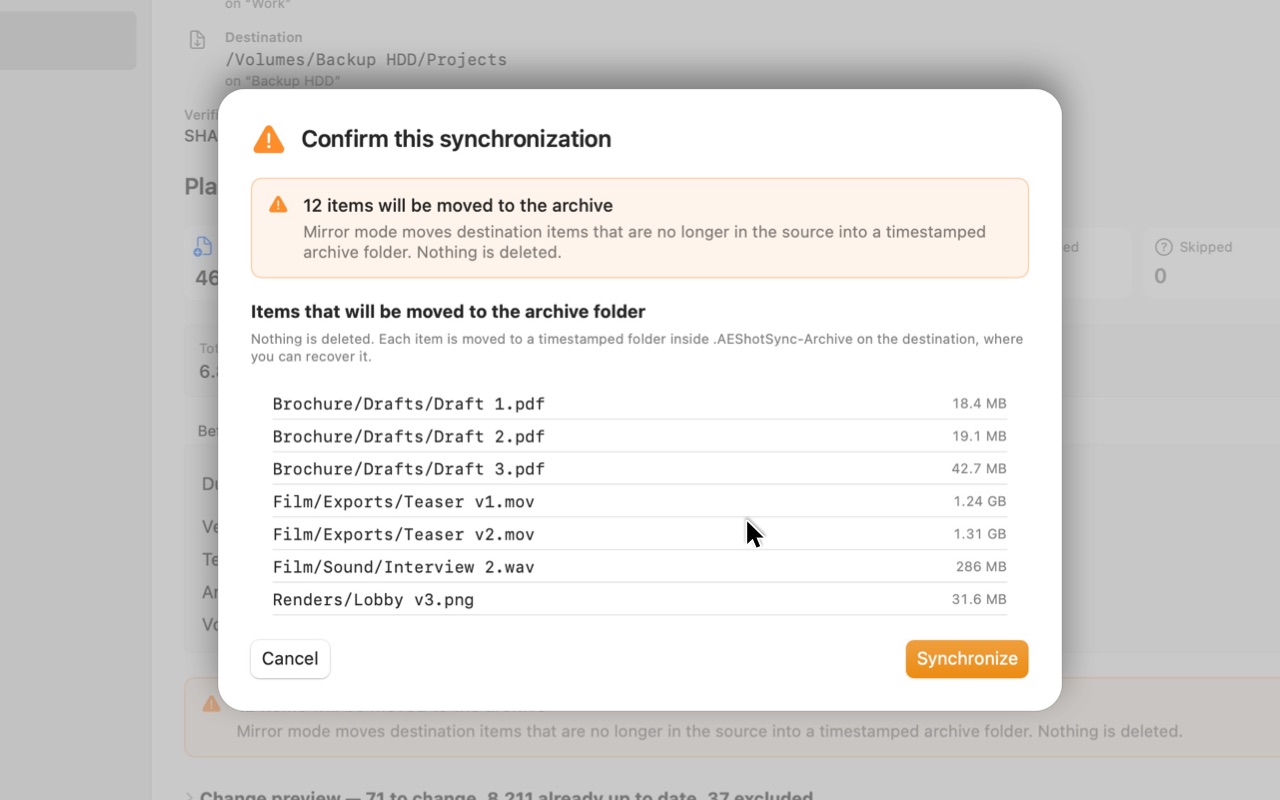
You confirm what moves aside
Before Mirror moves anything to the archive, it shows you every item and waits for your OK.
On schedule, still in your hands
Run a profile every few hours, every day, every week, or the moment your backup drive is connected. A scheduled run analyzes first and copies only when nothing needs your OK. If Mirror would move more than you allowed, it stops, keeps the plan ready and tells you. A run missed while your computer was asleep happens as soon as it wakes.
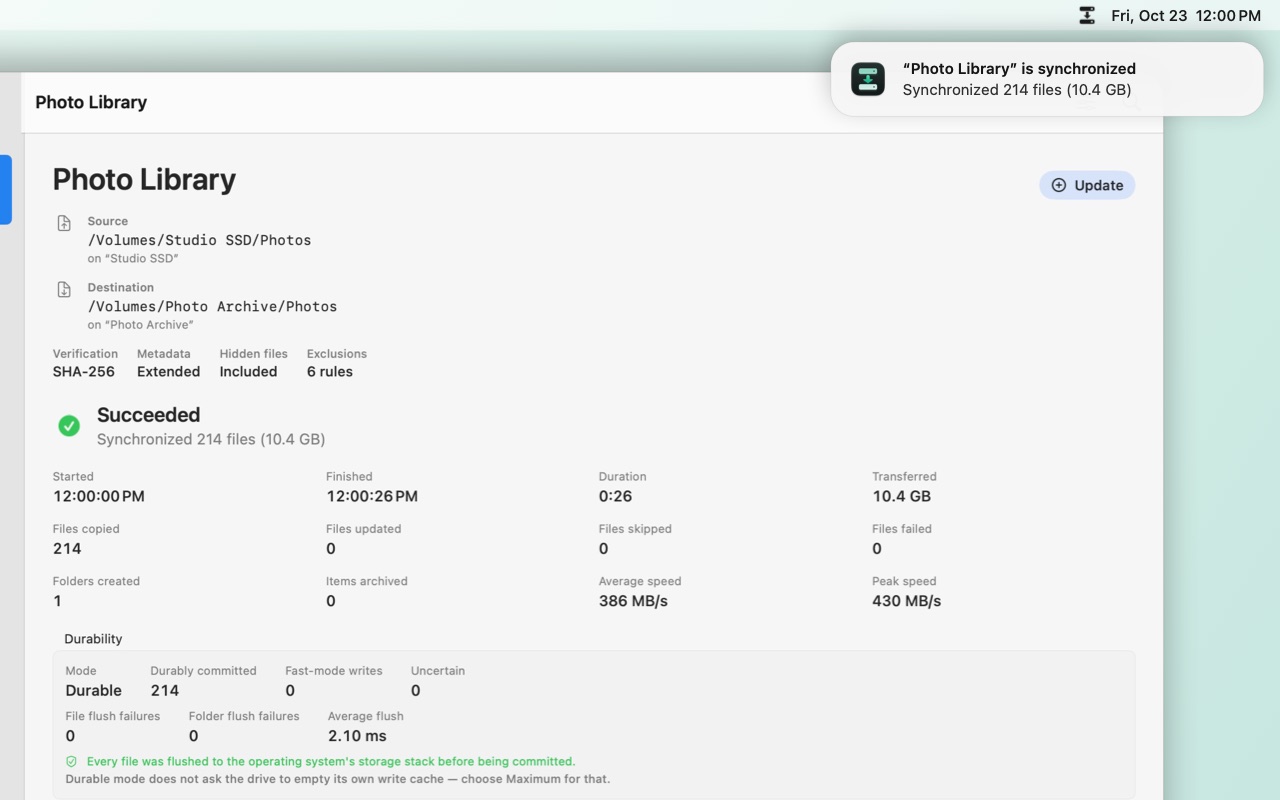
Set it once
Choose when a profile runs. It analyzes, copies, and lets you know when the backup is done.
Built for the drives you care about
Committed to the drive.
Choose how firmly each file is written to physical storage before it counts as copied.
Checked, not assumed.
Optional SHA-256 checksums for every copied file.
The right drive, every time.
Your backup drive is recognized by its identity, so a different drive with the same name is never written to by mistake.
Recovers cleanly.
Leftovers from an interrupted run are found and shown, and removed only when you say so.
Know your hardware.
Storage Validation measures your own drives with generated test data.
Effortless once it is set up
Profiles for each backup, drives remembered across restarts, an icon in the menu bar or notification area that moves while a sync works and shows its progress, speed and time left in one click, and clear run logs on your computer.
Private by design
Your files never leave your computer. No account, no ads, no tracking of what you do. AEShot Sync reads and writes only the folders you choose, and contacts aeshot.com only to check for updates and to count its installations anonymously.
What people say about AEShot Sync
Tell others what you think of AEShot Sync.
Reviews come from people who use the app, written in the app or here with its installation ID, one per installation. Each review is read before it appears. How reviews work
Common questions
Can AEShot Sync delete my files?
Not on its own. Update mode never removes anything. Mirror mode moves items that are no longer in the source to an archive folder on the destination, after you confirm the list. Deleting old archives is a separate, confirmed step.
What happens if I unplug the drive during a sync?
The file being written stays under its temporary name; your existing copy is untouched. Next time, AEShot Sync shows the leftover and offers to clean it up.
Does it work with external drives, SSDs, USB sticks and memory cards?
Yes. Any drive your computer can read and write, and also two folders on the same disk.
Can it run on a schedule?
Yes: every few hours, daily, weekly, or whenever the drive is connected, while AEShot Sync runs with its icon in the menu bar or notification area. A scheduled run never confirms anything for you; when the plan needs your OK, it waits and notifies you. On Linux, scheduled runs happen even when the app is closed.
Does it sync both ways or to online services?
No. AEShot Sync copies one way. It can use the folders of cloud apps, such as iCloud Drive, OneDrive or Dropbox, as source or destination; their own apps do the uploading.
Does it need an account or an internet connection?
No account. It goes online only to look for updates and to count its installations anonymously; syncing itself never needs the internet, and your files never leave your computer.
How much does it cost?
Nothing. AEShot Sync is free, like every AEShot app, and there is nothing to buy.
Which languages?
English, German, French, Spanish, Italian, Portuguese (Brazil), Japanese, Korean and Chinese (Simplified and Traditional).
How do I write a review?
From inside AEShot Sync: choose Write a Review… in the app menu or in Settings › General. Each installation can send one review, and it appears on aeshot.com after it is checked. How reviews work
More AEShot apps

AEShot Capture
Screenshots and screen recording

AEShot Studio
Polished screen videos and guides

AEShot PDF
Edit, sign and combine PDFs