

AEShot PDF
Everything you need from a PDF app, without the weight: edit the text itself, sign with certificates, combine pages and make scans searchable.
Choose the package for your Linux
- Debian, Ubuntu (.deb)Download
SHA-256
e7a28ee867dbdf8b603fd73d7aab6a6270ac4e62af9f6b41f04d4096d312cbafHow to checkInstall it with:
sudo apt install ./aeshot-pdf_1.0.2-1_amd64.deb - Fedora (.rpm)Download
SHA-256
52340c11ac9592b7ae8be404db9f66e1065bbe7481e68c726c15dbea555d593bHow to checkInstall it with:
sudo dnf install ./aeshot-pdf-1.0.2-1.x86_64.rpm - openSUSE (.rpm)Download
SHA-256
979a972c58c0a0a9811cdf374527cda0ee14de268b14756602566de746551d22How to checkInstall it with:
sudo zypper install ./aeshot-pdf-1.0.2-1.opensuse.x86_64.rpm - Arch Linux (.pkg.tar.zst)Download
SHA-256
4a827c42ee88e736d318767d83112616fa6777287a1be7d419e24946ef876436How to checkInstall it with:
sudo pacman -U aeshot-pdf-1.0.2-1-x86_64.pkg.tar.zst
By downloading an app, you accept the terms of use.
Free · No account · No ads
What it does
The PDF work you do every day, in an app that opens in an instant.
Edit the text itself
Click a paragraph and type. It keeps its font, size, color and alignment and rewraps, and every change is checked before it is kept.
Sign with certificates
Digital signatures that Acrobat and other PDF apps check, with a trusted timestamp. Use a certificate stored on your computer, a smart card or a file, or make your own.
Sign by hand
Draw, type or photograph your signature once, then place it with a click. It is kept securely on your computer.
Combine and organize
Combine PDFs and pictures, and reorder, rotate, insert, extract or delete pages in the sidebar.
Make scans searchable
Recognize Text reads scanned pages on your computer and adds the words invisibly, so you can search, select and copy them.
Mark up and fill in
Highlight, draw, add text and notes, and fill in forms, with standard annotations that every PDF app shows.
Fast and light
Opens large documents in an instant and runs nothing in the background once it is closed.
In ten languages
English, German, French, Spanish, Italian, Portuguese, Japanese, Korean and Chinese, Simplified and Traditional.
A closer look
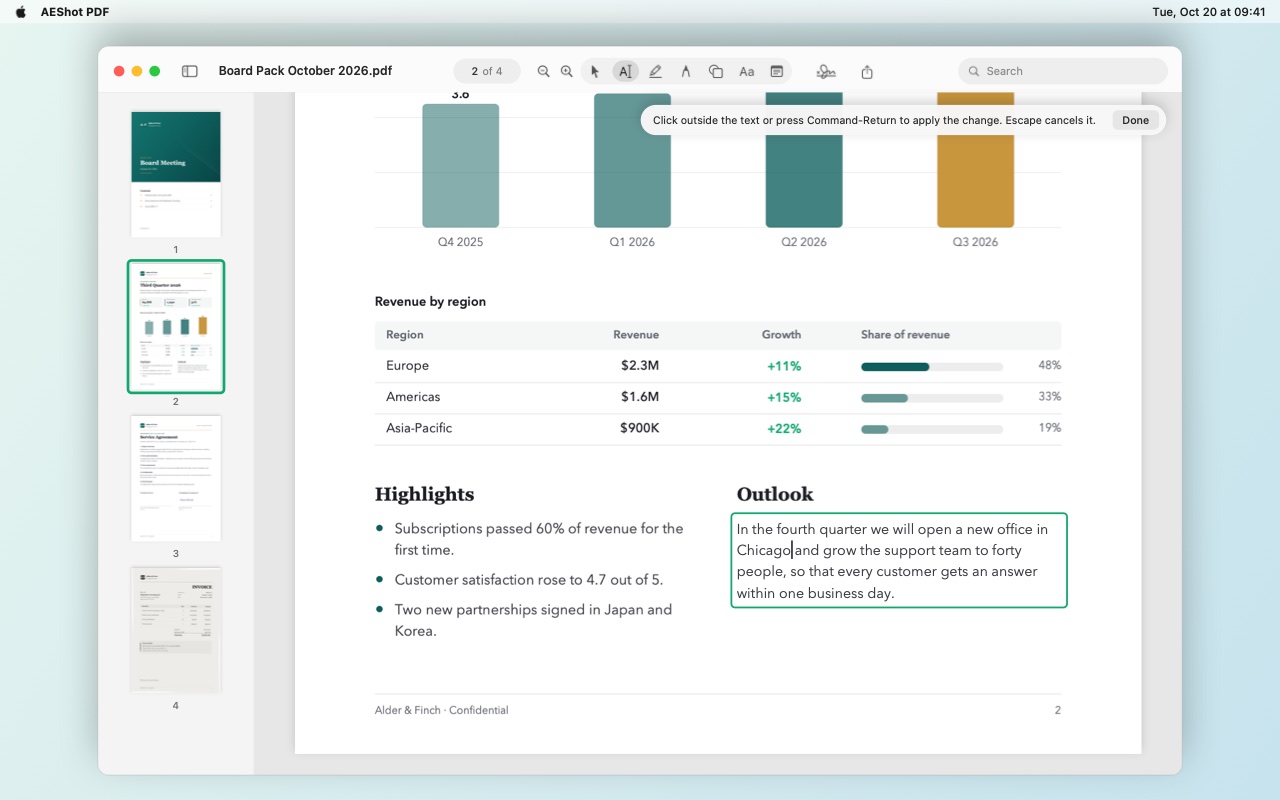
Change the text itself
Click a paragraph and type. The new words keep their font, and the paragraph rewraps around them.
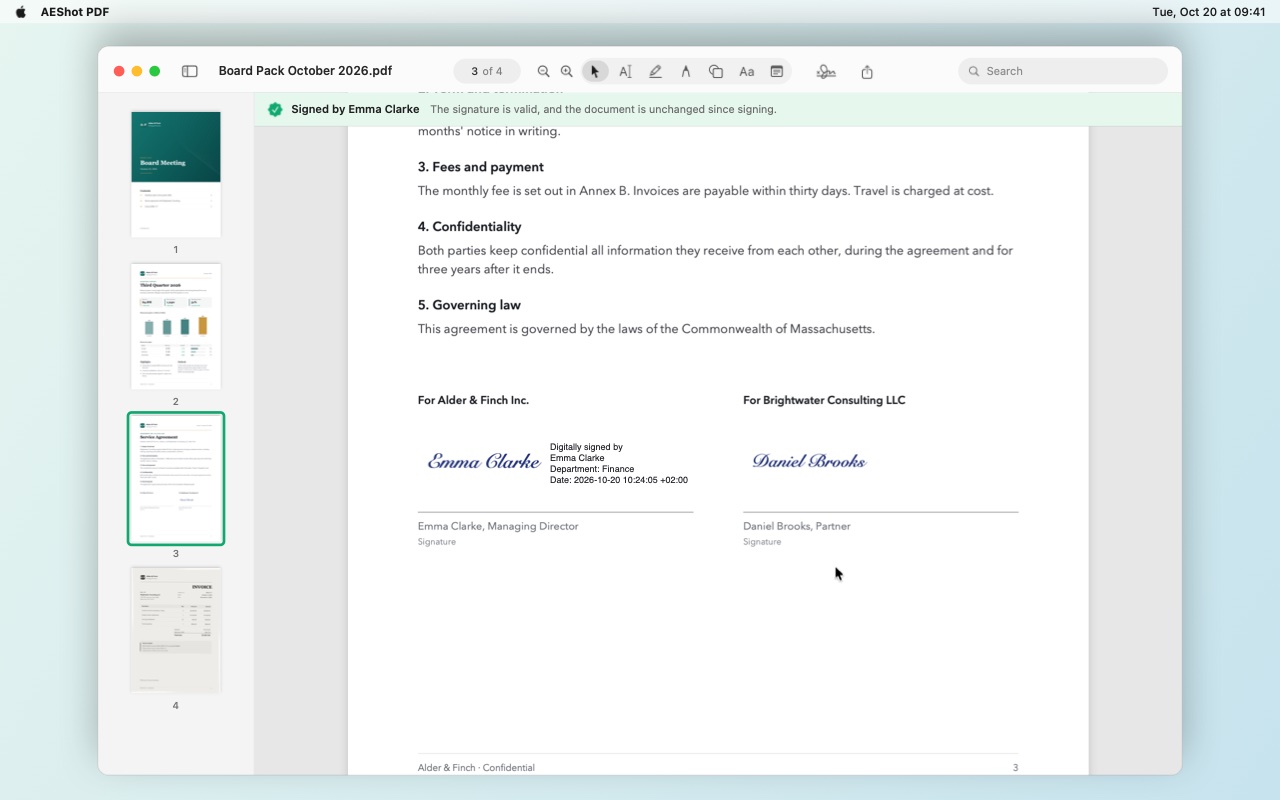
Signed, and checked
A certificate signature shows your name, department and the date. Signatures you receive are checked: who signed, and whether anything changed since.
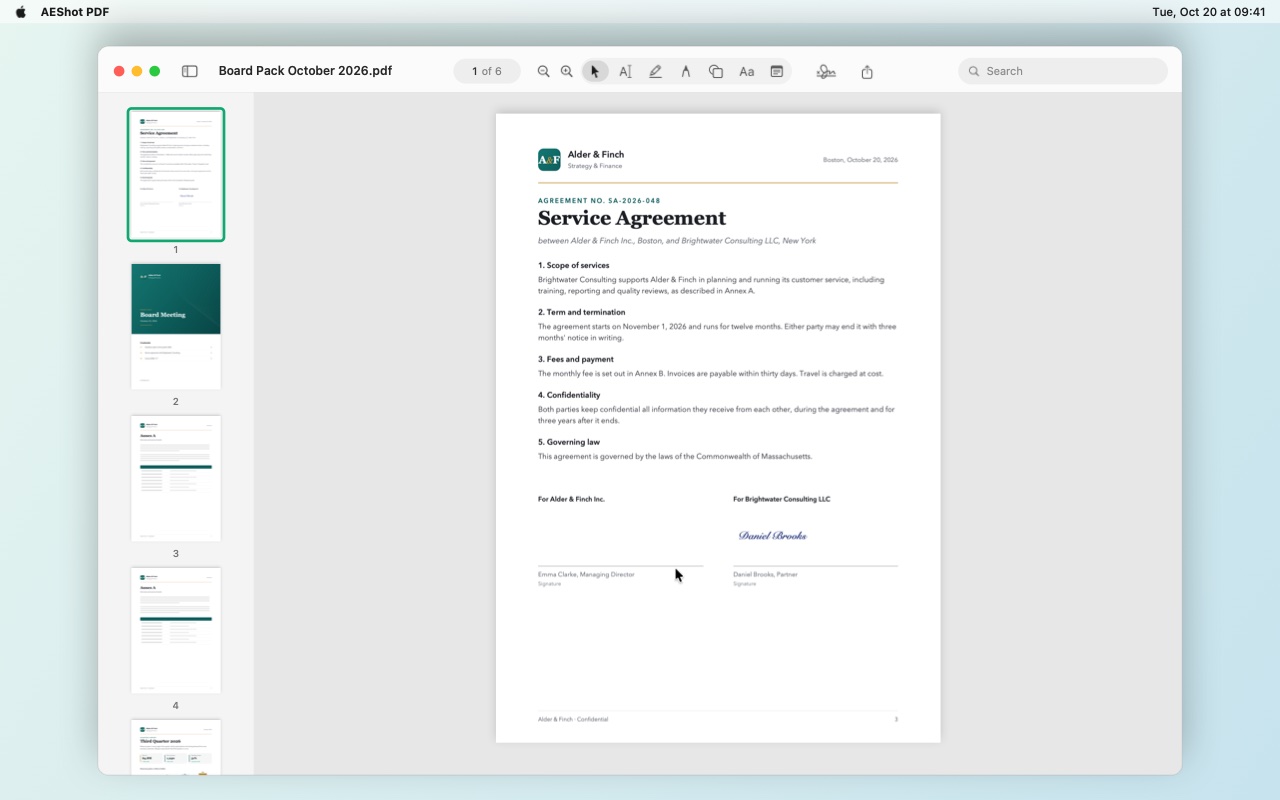
Pages in the sidebar
Drag pages to reorder them, drop in PDFs and pictures, and rotate pages with a shortcut.
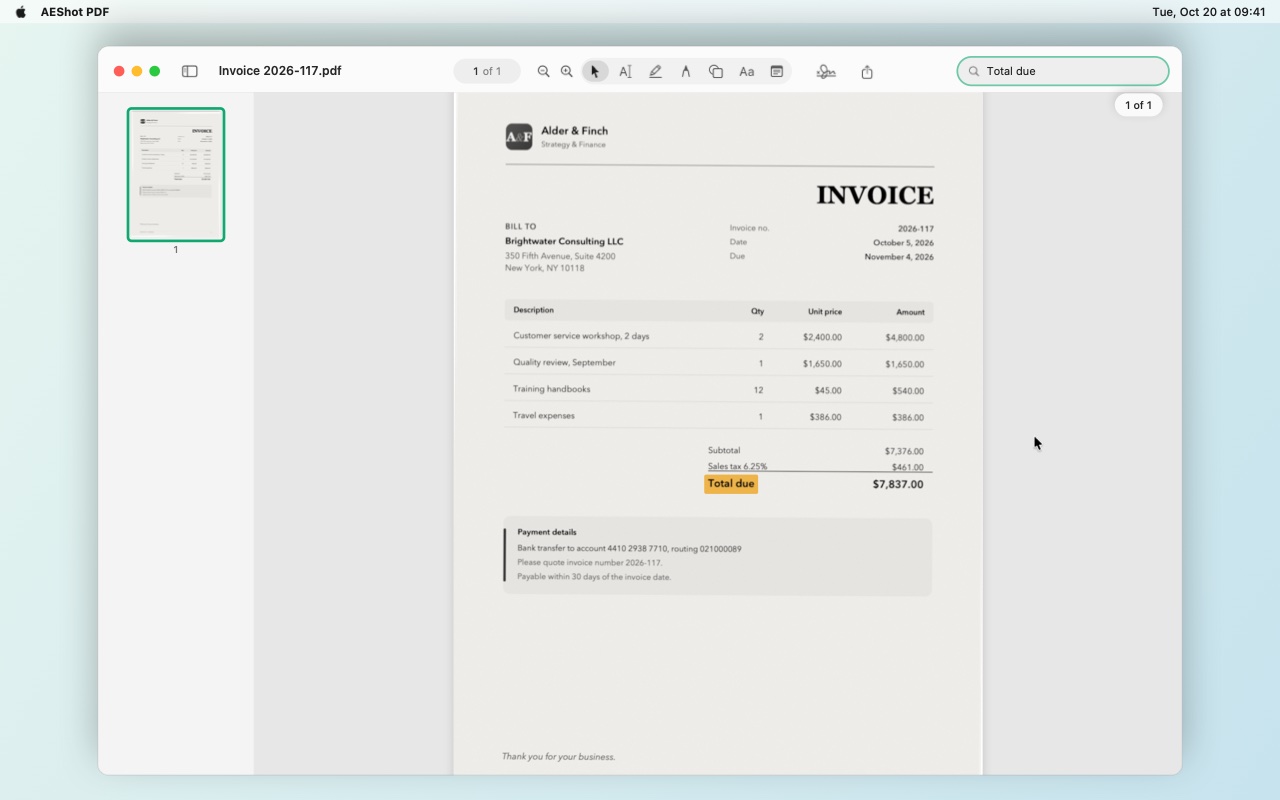
Scans you can search
Recognize Text reads a scanned page on your computer. Then you can search it, and select and copy its words.
Free. Nothing to buy.
AEShot PDF is free, like every AEShot app: nothing to buy and no ads. Every feature is yours from the first launch.
Private by design
Your documents stay on your computer. No account, no ads, no tracking of what you do, nothing uploaded: the app sends only an anonymous count of installations. Text recognition runs on your computer too.
What people say about AEShot PDF
Tell others what you think of AEShot PDF.
Reviews come from people who use the app, written in the app or here with its installation ID, one per installation. Each review is read before it appears. How reviews work
More AEShot apps

AEShot Capture
Screenshots and screen recording

AEShot Sync
Safe backups to any drive

AEShot Studio
Polished screen videos and guides